PostgreSQL Internals
Hello there! 👋I am a fellow third-year CSE student at NSUT with a passion for Full Stack development, Open Source, and DevOps! 🚀
Architecture
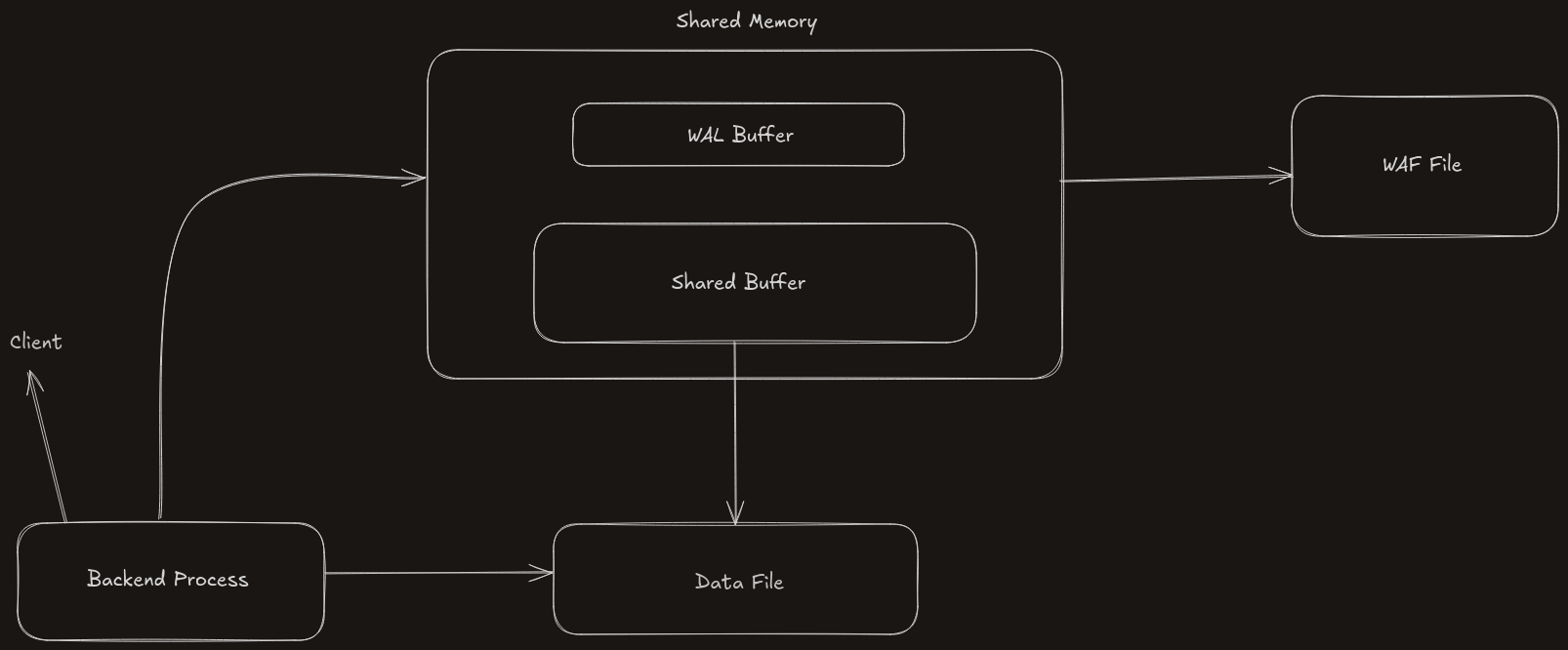
PostgreSQL uses shared memory to speed things up by avoiding unnecessary disk reads/writes. Inside shared memory, there are two important parts
Shared Buffer
Stores frequently accessed data blocks
It reduces I/O
Supports multiple users accessing data together
WAL Buffer
WAL - Write ahead Log - It tracks every change before it’s actually saved to the disk
This buffers holds the data temporarily , after that these changes are pushed to WAL File (disc)
Useful for backup and recovery
Process Types
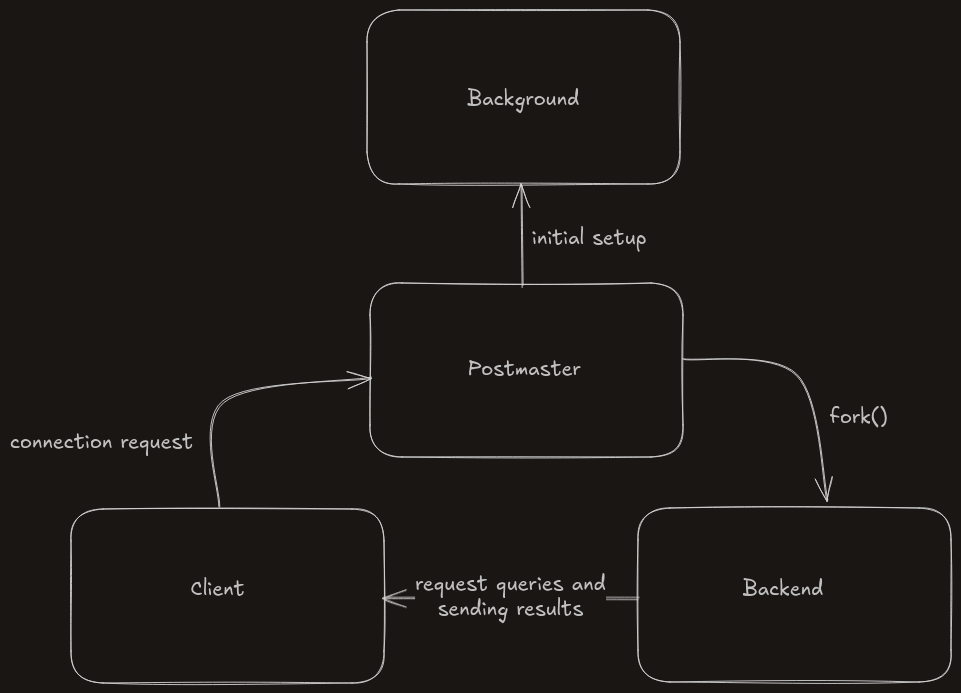
When PostgreSQL is running, it uses different types of processes, each with its own job
Postmaster Process
This is the first process when PostgreSQL boots up
Sets up shared memory, starts background workers
Listens for new client connections
Creates backend process for each client
Parent of all other processes
Background Process
Runs in background to maintain the system health
Some of the processes it runs are
| Processes | Use case |
| Checkpointer | Saves dirty pages to disk |
| Writer | Writes data from memory to disk |
| Walwriter | Handles WAL file writes |
| Autovacuum | Cleans up dead rows (like garbage collection) |
| Stats collector | Gathers performance info |
These processes are not directly handling user queries but support the system
Backend Process
These are created for each client (user or app) that connects to PostgreSQL
Each one handles one client connection (for better fault tolerance)
Handles the SQL Query execution
Client Process
This is not part of PostgreSQL itself
It's the user or app that connects to PostgreSQL — e.g., you using
psql, or your app connecting to the database via TCP/IP or UNIX socket
Database Structure
When you install or initialize PostgreSQL (initdb), it sets up 3 default databases — but they aren’t just random. Each has a job
template0– The Clean Master Copy
Think of it like the backup
It’s clean, untouched, and no one can log into it
You can use it to create a fresh, default database anytime
template1– Your Custom Starter Pack
This is your main template.
You can customize it (add functions, extensions, etc)
Whenever you create a new database, PostgreSQL clones this
postgres– Your Playground
This is the database you log into by default
Use it for playing around, testing queries, or trying stuff out
Tablespaces
Tablespaces are just folders on your system where PostgreSQL stores data. That’s it
pg_default
Where your tables and indexes live by default.
Path:
$PGDATA/base/
pg_global
Stores data that is shared across all databases, like user accounts.
Path:
$PGDATA/global/
Custom Tablespaces
You can create your own storage locations
Example: Store large tables on a separate SSD for performance

